Senera onboarding · Administrator guide
Add your people, teams & sites
Bring your workforce into Senera — invite workers, set their roles, and group them by team and site.
1
Add members and assign roles
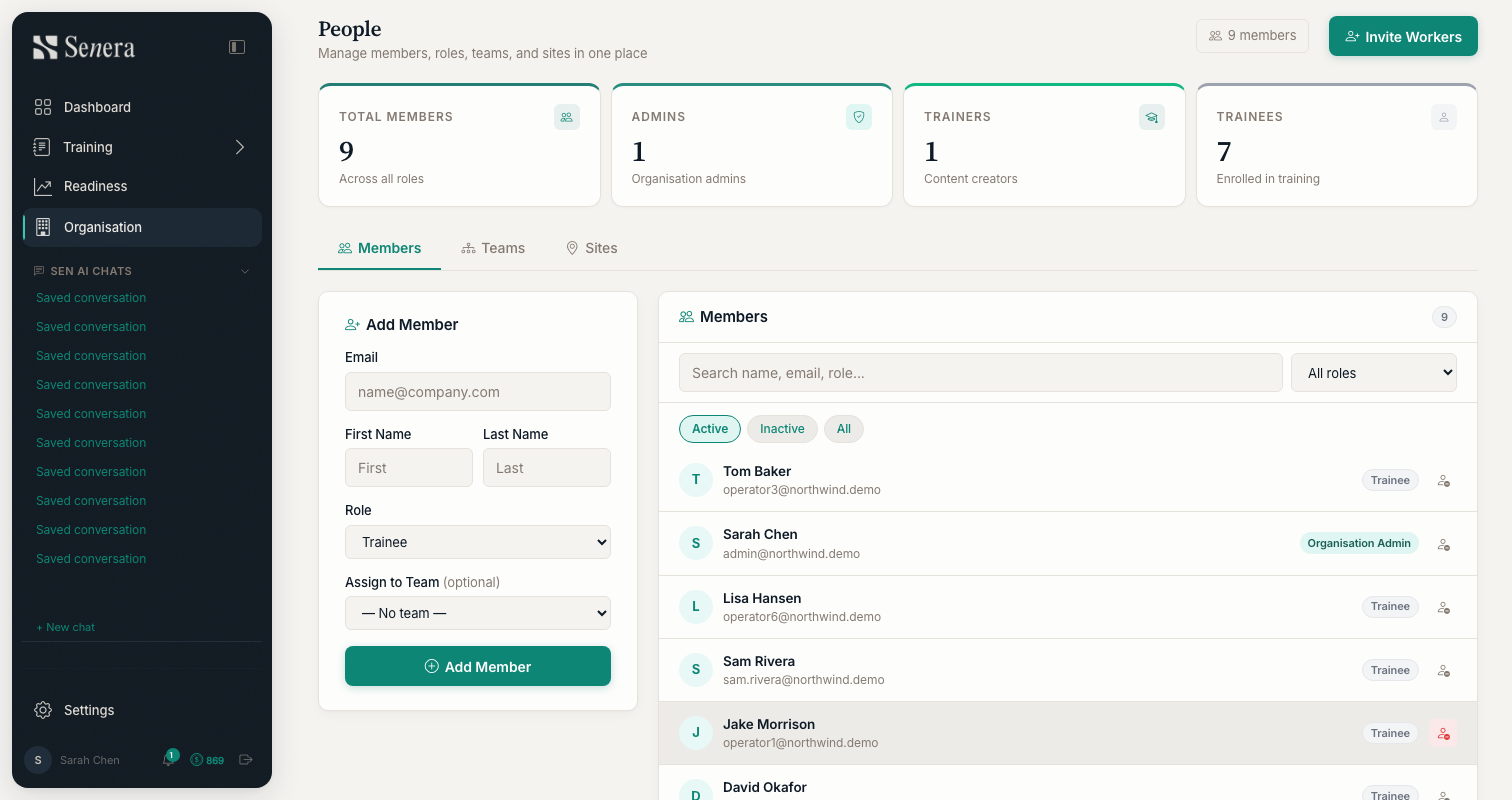
/peopleOpen Organisation → People from the sidebar. The summary cards show your totals (members, admins, trainers, trainees). Use Invite Workers to send invites, or the Add Member panel to create a member directly: enter their email and name, choose a Role (Trainee, Trainer, Org Admin…), and optionally assign them to a Team. Switch between the Members, Teams and Sites tabs to organise your workforce.