Set up equipment & track readiness
Register the machinery your team operates, then watch live readiness — Senera's core differentiator — light up per equipment.
Register your equipment
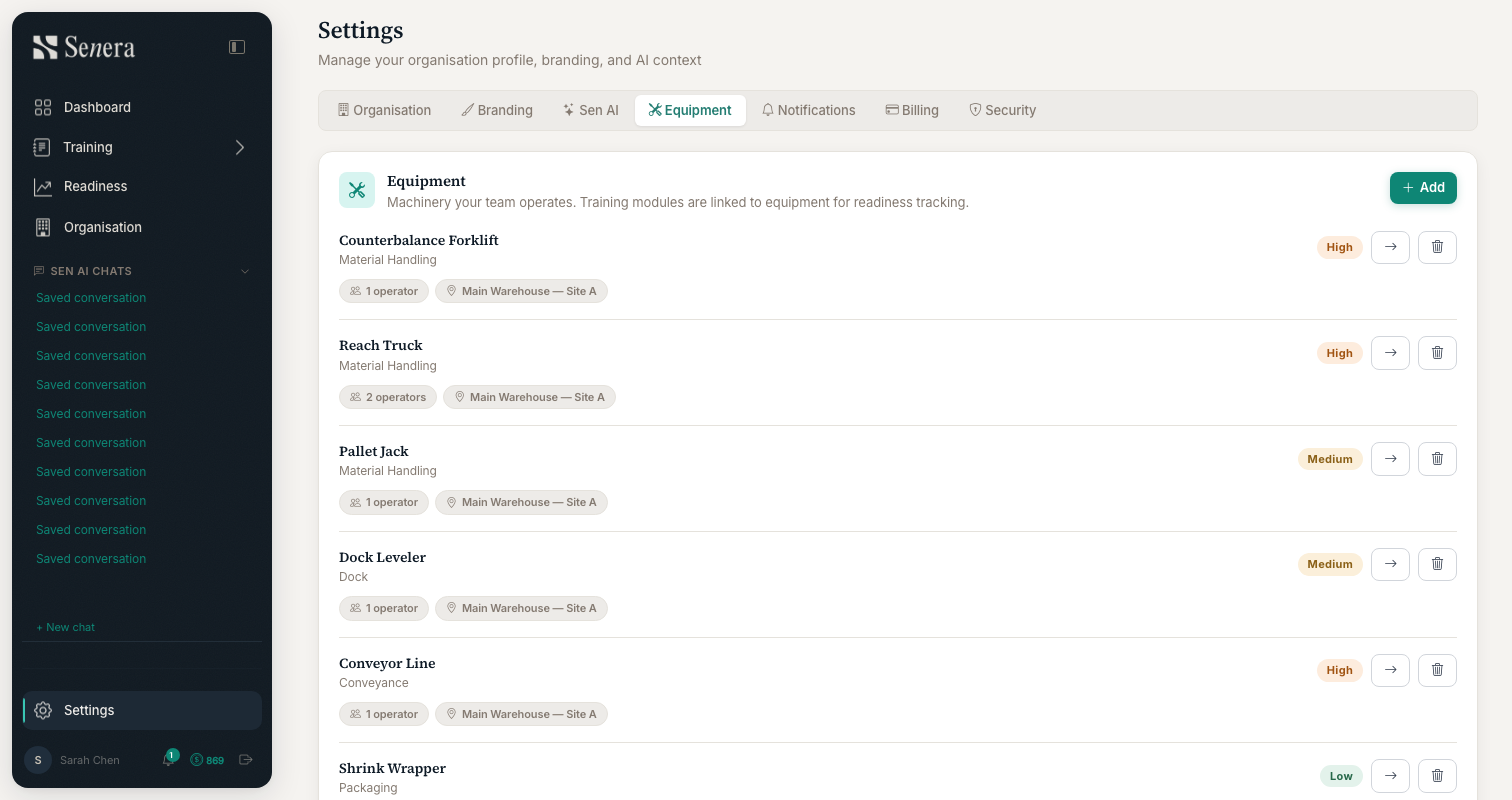
/settings?tab=equipmentOpen Settings → Equipment. This is the machinery your team operates — each item carries a category, a criticality (high / medium / low), a site, and the number of operators assigned. Click Add to register a new piece of equipment. Training modules link to equipment, which is how readiness is calculated.
Read the readiness heatmap
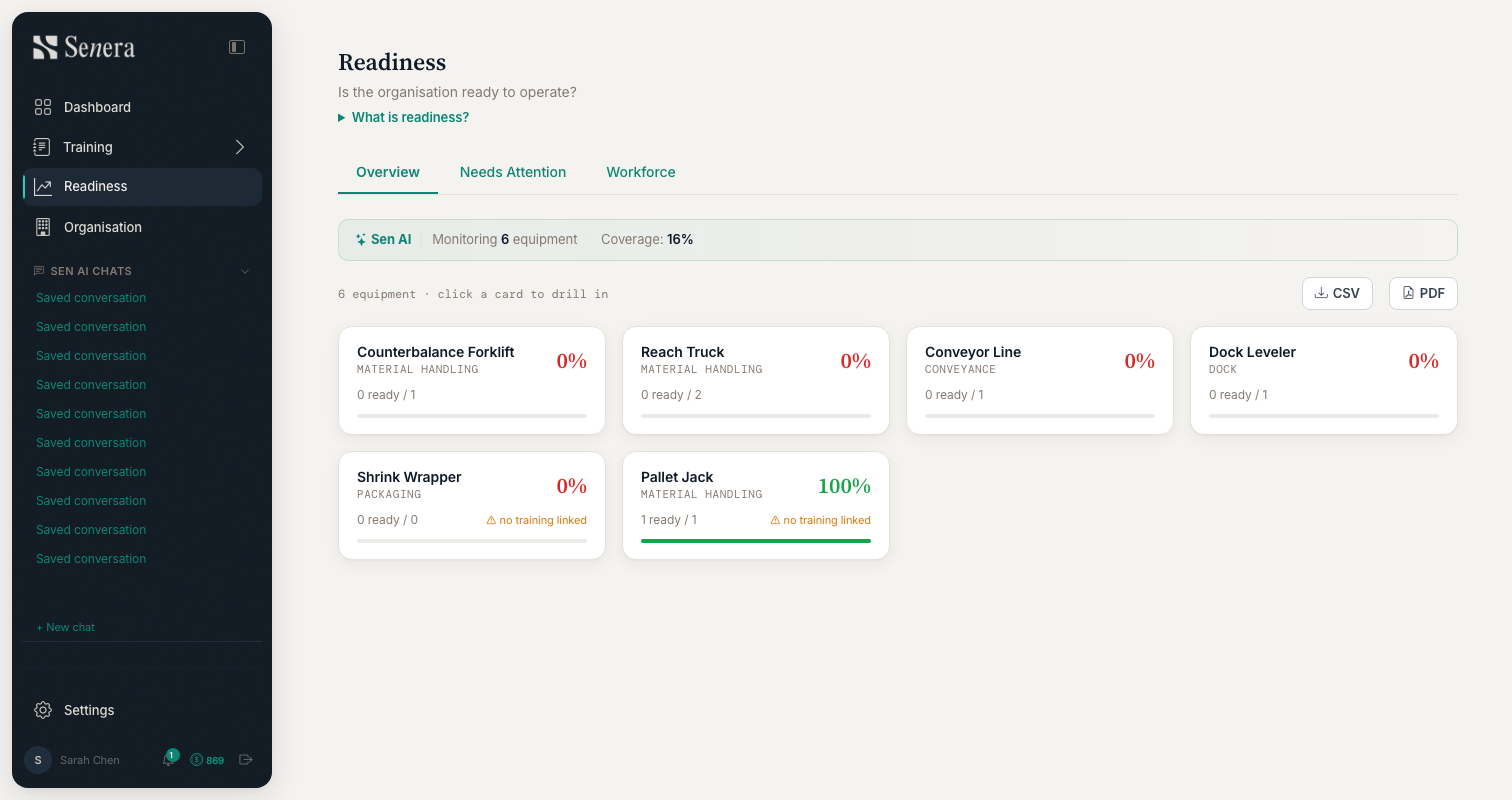
/readinessOpen Readiness from the sidebar. Each card is a piece of equipment showing its certified-operator coverage as a live percentage. Red means at-risk, green means ready. Use the Overview, Needs Attention and Workforce tabs to slice the view, click any card to drill in, and export the board as CSV or PDF for compliance evidence.